My Logo

Main Navigation

About Us
Services
Portfolio
Tools
FAQ
Areas We Cover
London
Manchester
Liverpool
Preston
Warrington
Altrincham
Sale
Stockport
Wilmslow
Knutsford
Leeds
Sheffield
York
Hull
Bradford
Newcastle
Birmingham
Coventry
Wolverhampton
Nottingham
Leicester
Derby
Stoke-on-Trent
Cambridge
Norwich
Chelmsford
Oxford
Milton Keynes
Reading
Southampton
Portsmouth
Brighton
Bristol
Plymouth
Exeter
Gloucester
Cardiff
Swansea
Glasgow
Edinburgh
Belfast
Visit Us On
My Logo
App UI/UX Design - JW Digital

App UI/UX Design Services

“Your app’s design defines its success. JW Digital crafts user-centric interfaces that are visually appealing, easy to navigate, and built to convert. Every interaction is designed with purpose — from the first tap to the final action.” — Janusz Wozniak

Free Consultation

Let's build something
great together.

Google Reviews
5.0
Trustpilot
4.5

No spam · Replied within 24 hours · Free consultation

App UI/UX Design That Converts Intent Into Action

Research-led product design for mobile and web apps — information architecture, interaction design, and visual systems your engineering team can actually build.

App design is the layer that decides whether users complete the journey or churn. JW Digital approaches UI/UX as a product discipline rather than a decorative one: we map real user flows, run usability sessions where the stakes warrant them, design accessible interaction patterns that respect platform conventions, and produce design systems your engineering team can implement without guesswork. Every project includes Figma documentation with components, tokens, and states — so the build stays consistent and future iteration costs less.

Get a Design QuoteView Our Work

User Research & Information Architecture

Job-to-be-done analysis, user flow mapping, and IA decisions made before pixels are pushed. Bad architecture cannot be polished into a good product — we get the structure right first.

Interaction Design & Platform Patterns

iOS and Android interaction patterns respected where it matters; web patterns where the audience expects web. Native conventions reduce friction far more than novelty for its own sake.

Design Systems & Component Libraries

Figma design systems with components, tokens, typography, and states — mapped to engineering primitives so the build matches the design and future iteration costs less than the first round.

Accessibility & Inclusive Design

WCAG-aware colour contrast, focus states, screen-reader semantics, and touch-target sizing built into the design system — not retrofitted after an accessibility audit fails.

Why it matters

App UI/UX Design Is a Product Discipline, Not a Decorative One

The design layer decides whether users complete the journey or churn — and that's an engineering-grade problem, not a styling one

  • 01

    75%

    of users judge a company’s credibility by its website

  • 02

    60%

    of all web traffic comes from mobile devices

  • 03

    3x

    higher conversion rate with modern responsive design

  • 04

    90%

    of buyers visit a company’s website before contacting them

Why you need app ui ux designJW Digital
Why you need app ui ux design

The bottom line

Most app projects we are called in to rescue have the same root cause: the design was treated as styling applied to whatever the engineering team came up with, rather than as the layer that determines whether users complete the journey or churn. Beautiful UI on top of a poorly-structured information architecture produces apps that look polished but feel confusing. Custom illustrations decorating broken navigation patterns produce apps that win design awards and lose users. JW Digital approaches app UI/UX as a product discipline. We start with the real user flows your business needs to convert — onboarding, core action loops, purchase or subscription, retention triggers — and build the design around those flows. Information architecture decisions happen before pixels are pushed; bad IA cannot be polished into a good product. Platform conventions are respected because they reduce friction far more than novelty for its own sake — iOS users notice when something feels Android, Android users notice when something feels iOS, and both notice when something feels neither. We also build for the engineering team that will implement the design. Every project ships as a Figma design system with components, tokens, typography, spacing, states, and dark-mode variants — mapped to engineering primitives (React Native components, Tailwind tokens, or your existing system) so the build matches the design and future iteration costs less than the first round. Accessibility is built in from the start — WCAG-aware contrast, focus states, screen-reader semantics, touch-target sizing — rather than retrofitted after a compliance audit fails. The design work pairs naturally with our mobile app development, cross-platform app development, SaaS platform development, and bespoke website design teams so design intent becomes shipped product without translation loss.

Get a Free UI/UX AuditFree 30-min consultation · No obligation
What's Included

What's Included in App UI/UX Design

Research, IA, design system, accessibility, and engineering-ready handoff

1

User Research & Journey Mapping

Target user analysis, competitive landscape review, usability research where stakes warrant it, and core user journeys (onboarding, primary actions, conversion) mapped before design work begins — bad architecture cannot be polished into a good product.

2

Information Architecture & Navigation

IA and navigation structure designed deliberately — tab vs drawer vs modal hierarchies chosen based on platform conventions and the real flows the app needs to support, not by template default.

3

Wireframes & Interactive Prototypes

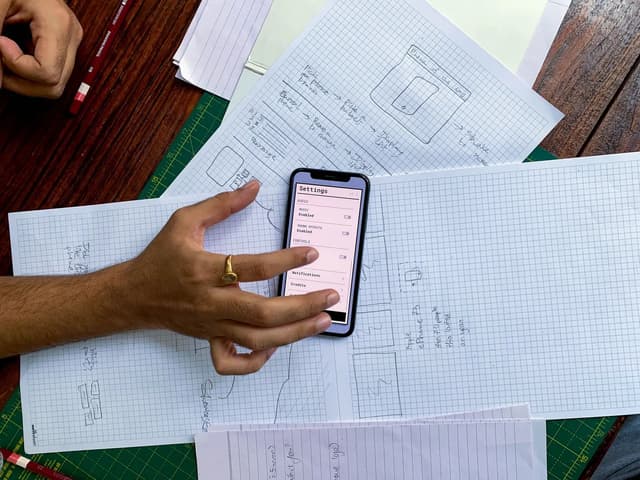
Low-fidelity wireframes establishing layout and hierarchy; high-fidelity interactive Figma prototypes that demonstrate the experience end-to-end — clickable, with real navigation, so stakeholder review is grounded in flows rather than static images.

4

Platform-Aware Visual Design

Brand-coherent visual design with platform sensitivity — iOS interactions feel iOS-native, Android feels Android-native, web feels web-native. Typography, spacing, iconography, and motion designed as a system rather than per-screen decisions.

5

Design System with Engineering Handoff

Figma design system with components, tokens, typography, spacing scale, all interaction states, and dark-mode variants — mapped to engineering primitives (React Native, Tailwind, or your existing system) so the build matches the design without ambiguity.

6

Accessibility & Inclusive Design

WCAG-aware accessibility built in from the start — colour contrast, focus states, screen-reader semantics, touch-target sizing, and motion-reduction support. Accessibility is a baseline, not a retrofit after the audit fails.

Get in Touch With Us
Our Process

Our App UI/UX Design Process

Research-led, platform-aware, and engineered for implementation — not just for the portfolio shot

  1. 1

    Discovery, Research & User Journey Mapping

    We understand your target users, the business goals the app needs to drive, and the competitive landscape. Where the stakes warrant it, we run usability sessions on existing products or competitor apps to surface friction patterns. User journeys for the core flows (onboarding, primary actions, purchase or conversion) are mapped before design work begins.

  2. 2

    Information Architecture & Navigation Design

    IA decisions — what's on the home screen, how navigation is structured, where each feature lives — made deliberately rather than by default. Tab navigation versus drawer versus modal hierarchies chosen based on platform conventions and the user flows the app needs to support. Bad IA cannot be polished; we get it right first.

  3. 3

    Wireframing & Interactive Prototyping

    Low-fidelity wireframes for every screen showing the layout, hierarchy, and content priorities. High-fidelity interactive prototypes in Figma that demonstrate the flow end-to-end — clickable, with the real navigation patterns, so stakeholders can review the experience rather than guess at it from static screens.

  4. 4

    Visual Design & Platform-Aware Interaction

    Visual design applied with platform sensitivity — iOS interactions feel iOS-native (modal sheets, swipe-back, SF Symbols), Android feels Android-native (material motion, Material You theming). Brand colours, typography, spacing, and iconography pulled into a coherent visual system rather than scattered across screens with inconsistent treatment.

  5. 5

    Design System Documentation & Engineering Handoff

    Figma design system with components, tokens, typography, spacing scale, states (default, hover, pressed, disabled, loading, error), and dark-mode variants. Components are mapped to engineering primitives — React Native, Tailwind, or your existing system — so the build matches the design without ambiguity. Component documentation includes use cases and accessibility notes.

  6. 6

    Accessibility Audit, Usability Testing & Iteration

    WCAG-aware accessibility audit covering contrast, focus states, screen-reader semantics, and touch-target sizing. Where the stakes warrant it, usability testing with real users on prototypes or early builds — refining based on observed friction rather than guesses. Iteration support available post-launch alongside our app maintenance and support service.

Our web design process - JW Digital
Our Pricing

App UI/UX Design Pricing

UI/UX design pricing scales with the number of screens, complexity of user flows, depth of research and usability testing, and whether the engagement includes a full design system or focuses on specific journeys. A focused redesign or feature flow typically falls between £500 and £2,500. A full app design with user research, complete screen coverage, design system, and prototypes typically falls between £2,500 and £15,000. We produce a written scope and fixed quote against agreed deliverables. Design work pairs naturally with our mobile app development, cross-platform app development, SaaS platform development, and bespoke website design services so design intent becomes shipped product without translation loss.

App Development Cost Calculator

Free to Use

Estimate your project cost in just a few clicks

  • Wireframes, prototypes, and full design system
  • User-focused UX planning
  • Responsive layouts for mobile & web
  • Brand-aligned interface design
Use Our App Development Cost Calculator

Once you have a rough estimate, you can use it as a starting point for your project planning. If you need something more tailored, JW Digital can then provide a bespoke quote based on your exact goals and requirements.

Free tools

Helpful Tools for App Projects

Estimate costs, audit your existing site, and plan technical requirements before development begins.

View all tools
Free
📱

App Cost Calculator

Estimate mobile and web app development cost based on platforms, features, backend and integrations.

App Cost CalculatorApp Development PricingMobile App QuoteApp BudgetMVP Cost
Open tool
Free
📊

Website Grader

Instant website score across page speed, mobile friendliness, meta tags and structured data.

Page SpeedMobileSEOStructured Data
Open tool
Free
🗄️

API & Database Calculator

Estimate backend, API and database project cost based on endpoints, integrations, data model and scale.

API Cost CalculatorDatabase PricingBackend CostIntegration CostAPI Budget
Open tool
Related Services

Explore More App Development Services

Browse related mobile, cross-platform, SaaS, and supporting services that take an app from concept to long-term operation.

Mobile App Development - JW Digital

Mobile App Development

iOS and Android apps built for performance and growth

JW Digital designs and develops mobile apps for iOS and Android using React Native. Our apps are fast, reliable, and built with scalability in mind — from MVP to full-scale production.

From £1,200

Cross-Platform App Development - JW Digital

Cross-Platform App Development

One codebase. Every platform.

Save time and money with cross-platform app development. JW Digital builds apps that work seamlessly across web, iOS, and Android — maintaining native speed and experience.

From £1,500

Progressive Web App Development - JW Digital

Progressive Web App (PWA) Development

Web apps that look and feel like native apps

PWAs combine the best of web and mobile. JW Digital builds fast, installable, and offline-ready Progressive Web Apps that work seamlessly across devices — without App Store restrictions.

From £1,000

Specialist Services

Related Digital Services

A great app sits inside a broader digital ecosystem — explore the build, growth, and infrastructure services we deliver alongside app development.

Bespoke Website Design

Learn more about this service

eCommerce Development

Learn more about this service

Design an App That Users Genuinely Want to Use

Get a UI/UX design project from JW Digital. We treat design as a product discipline — research-led, platform-aware, accessibility-first, and engineered for the build team that ships it.

Fast Turnaround
Fully Secure
Fixed Pricing

Call Us

0161 399 4659

Mon–Sat • 8 am–8 pm

Email Us

enquiries@jw-digital.co.uk

Replies within 2 hours

Start a Project

Book a Free Design Consultation

No obligation • Takes 2 minutes

© 2026 JW Digital • Fast & Reliable Digital Solutions • Built in Manchester UK

JW Digital Website Footer

My Logo

Empowering UK businesses with bespoke web design, app development, and digital marketing solutions that drive measurable results.

0161 399 4659

Our Services

  • Web Design Services UK
  • SEO Agency UK
  • E-commerce Web Design
  • App Development Company UK
  • Database & API Development
  • Website Hosting & Maintenance
  • Digital Marketing Agency UK

Tools

  • Invoice Generator
  • Free Website Grader
  • Website Cost Calculator
  • SEO Cost Calculator
  • App Cost Calculator
  • Ecommerce Cost Calculator
  • Meta Tag Checker
  • API & Database Calculator
  • GBP Profile Checker
  • IndexNow Sitemap Submitter
  • CIS Tax Calculator
  • Trades Quote Generator
  • Schema Markup Generator
  • XML Sitemap Generator
  • Robots.txt Generator
  • Open Graph Preview Generator
  • Colour Contrast Checker
  • Marketing ROI Calculator
  • Website Revenue Loss Calculator
  • Lead Value Calculator
  • Local Business Schema Generator
  • Indexability Checker
  • Schema Validator
  • Local SEO Audit
  • AI Overview Readiness Checker
  • NAP & Citation Checker
  • AI Brand Visibility Checker
  • Website Carbon Calculator
  • Salesforce Web-to-Lead Generator
  • Salesforce Integration Cost Calculator

Company

  • About Us
  • Contact & Support
  • Terms & Conditions
  • Privacy Policy

Visit Us On

  • Trustpilot
  • Yell
  • Clutch
  • Google Reviews

Follow Us

© 2026 JW Digital Services Ltd. All rights reserved.

Recent Projects

Recent App Development Projects

Explore some of the mobile apps, SaaS platforms, and Progressive Web Apps JW Digital has built for UK startups, SMEs, and enterprises.

Browse a selection of our recent web design and development projects for businesses across a range of industries, including healthcare, construction, hospitality, trade services, recruitment, and professional services. Each project is designed to balance performance, usability, branding, and SEO foundations.
Radiology Web Platform Healthcare Application project for Healthcare business in London

Radiology Web Platform

Healthcare Application

Secure healthcare platform with reporting workflows and patient-focused functionality.

Industry:

Healthcare

Location:

London

Project Type:

Web Application Development

Technologies

Web App
Secure Portal
GDPR Compliant
+1
View Project
Recruitment Solutions Corporate Website project for Recruitment business in Manchester

Recruitment Solutions

Corporate Website

Modern recruitment company website with job portal and candidate-focused structure.

Industry:

Recruitment

Location:

Manchester

Project Type:

Website Design & Development

Technologies

Next.js
Job Portal
ATS Integration
+1
View Project
Elite Muay Thai Gym Sports & Fitness project for Sports & Fitness business in Broadheath

Elite Muay Thai Gym

Sports & Fitness

Modern gym website with class schedules, memberships, and booking integration.

Industry:

Sports & Fitness

Location:

Broadheath

Project Type:

Website Design & Development

Technologies

Next.js
Headless CMS
Wix Integration
+1
View Project
Luxury Car Hire E-commerce project for Car Rental business in Manchester

Luxury Car Hire

E-commerce

Premium car hire website with booking system and high-end UX.

Industry:

Car Rental

Location:

Manchester

Project Type:

E-commerce Website

Technologies

Next.js
E-commerce
Booking Engine
+1
View Project
Quantity Surveying Consultants Professional Services project for Construction Consultancy business in Manchester

Quantity Surveying Consultants

Professional Services

Corporate website for a quantity surveying firm with service pages, credibility, and professional presentation.

Industry:

Construction Consultancy

Location:

Manchester

Project Type:

Website Design & Development

Technologies

Professional Design
Case Studies
Service Calculator
+1
View Project
Plumbing Services Trade Services project for Plumbing business in Manchester

Plumbing Services

Trade Services

Lead generation website for a plumbing business with local SEO structure and mobile-first usability.

Industry:

Plumbing

Location:

Manchester

Project Type:

Website Design & Development

Technologies

Next.js
Booking System
Local SEO
+1
View Project
Premium Landscaping Service Website project for Landscaping business in Manchester

Premium Landscaping

Service Website

Landscaping website with project galleries, service-led structure, and enquiry-focused design.

Industry:

Landscaping

Location:

Manchester

Project Type:

Website Design & Development

Technologies

Next.js
Custom Build
Gallery System
+1
View Project
The Event Bar Hospitality project for Hospitality business in Altrincham

The Event Bar

Hospitality

Hospitality website with event promotion, bookings, and a vibrant brand-led user experience.

Industry:

Hospitality

Location:

Altrincham

Project Type:

Website Design & Development

Technologies

Next.js
Event Calendar
Booking System
+1
View Project
View Full Portfolio

Frequently Asked Questions

Most Asked Questions

FAQs

Common questions about mobile and cross-platform app development, SaaS platforms, PWAs, UI/UX, backend integration, and ongoing app maintenance with JW Digital.

Illustration representing frequently asked questions

UX (user experience) is the structural discipline — how flows are organised, how navigation works, what information lives where, how users move through the product to complete their goals. UI (user interface) is the visual layer applied on top — typography, colour, iconography, motion, the look and feel. They overlap but aren't interchangeable. A great UI on poor UX produces an attractive product nobody can use; great UX with weak UI produces a usable product that feels generic. Both matter, and we deliver both.

Because users have learned them, and learned conventions reduce friction far more than novelty for its own sake. iOS users expect modal sheets to swipe down, back gestures to work from the screen edge, SF Symbols to look the way they look. Android users expect material motion, back-button behaviour, and Material You theming integration. Apps that respect these conventions feel correct without users being able to articulate why; apps that ignore them feel wrong in the same intangible way.

Figma is our default — design and prototyping in one tool, real-time collaboration, mature plugin ecosystem, and excellent handoff via Dev Mode. Where animation specifications matter, we use Figma's built-in interactive components plus Lottie for complex motion. For developer handoff, we configure Figma with engineering tokens, component documentation, and state coverage so the implementation matches the design without ambiguity.

Yes. Mobile design with platform-aware iOS and Android variants where conventions diverge, responsive web design for SaaS dashboards and marketing surfaces, and tablet adaptations where the product needs them. Shared design tokens across platforms keep the brand consistent; platform-specific component variants keep the interactions native-feeling.

Yes — and this is a common project type. We audit the existing design honestly (information architecture, visual consistency, accessibility, platform alignment), identify which elements work and which need to change, and propose either a targeted refresh or a full redesign depending on the state of the existing design and your business priorities. We are explicit about what's worth preserving versus what's worth rebuilding.

Yes, from the start rather than as a retrofit. WCAG-aware colour contrast, focus states, screen-reader semantics via proper labels and roles, touch-target sizing, and motion-reduction support are designed into the design system itself. For products that need to satisfy a formal accessibility audit, we configure the design and component documentation to surface accessibility metadata that auditors can verify.

Three layers. First, the Figma file is structured with components, tokens, and named states that map cleanly to React Native, Tailwind, or your engineering system. Second, Dev Mode is configured with spacing, typography, and colour tokens so the developer sees specs not estimates. Third, we run a handover walkthrough with the engineering team to answer questions before implementation begins. The goal is no ambiguity at build time.

Yes. High-fidelity Figma prototypes that demonstrate the full flow end-to-end with real navigation, real interactions, and the kind of motion that conveys how the app will actually feel. Stakeholders review the experience, not static screens — which surfaces feedback far earlier than waiting until build.

Moderated sessions with target users (typically 5-8 sessions to surface the majority of usability issues), unmoderated remote testing via Maze or UserTesting for broader coverage, or guerrilla testing on prototypes when the team needs quick directional feedback. We recommend usability testing when the stakes warrant it — early-stage products where assumptions about user behaviour might be wrong, complex flows where friction is hard to predict, or redesigns where existing user habits need to be respected.